A user recently reported receiving an "Oops" error in the Hub when trying to create a snapshot of a server volume. They ended up working around it by creating the snapshot via the AWS console.
i hit the same issue myself on a recently launched appliance. My colleague Alon happened to be around at the time so I asked him to look into it and it appears to be caused by the Hub not being able to determine the volume ID to take a snapshot of (it's saying the volume ID = None!). It turns out that for some reason, the Hub's AWS assets cache is stale and doesn't include the volume ID of the freshly launched server.
In theory doing a "hard refresh" (i.e. Ctrl-F5) should fix it and/or browsing to the AWS assets page and clicking the "Refresh" button towards the top right of the page. However, I found that neither of these seemed to immediately resolve the issue. Logging out and logging back in definitely made it work though!
Also of interest, when I look at the AWS assets page, I don't see any EBS volumes noted there?

That actually lead me to another problem. The snapshot that I created appears to be stuck at "3%"!?:

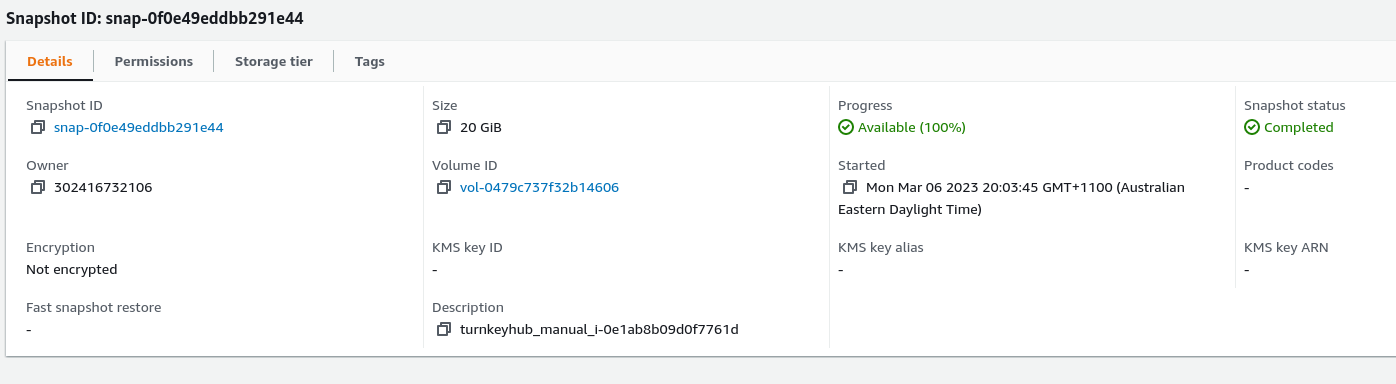
However, AWS console shows it at 100%:

A user recently reported receiving an "Oops" error in the Hub when trying to create a snapshot of a server volume. They ended up working around it by creating the snapshot via the AWS console.
i hit the same issue myself on a recently launched appliance. My colleague Alon happened to be around at the time so I asked him to look into it and it appears to be caused by the Hub not being able to determine the volume ID to take a snapshot of (it's saying the volume ID =
None!). It turns out that for some reason, the Hub's AWS assets cache is stale and doesn't include the volume ID of the freshly launched server.In theory doing a "hard refresh" (i.e. Ctrl-F5) should fix it and/or browsing to the AWS assets page and clicking the "Refresh" button towards the top right of the page. However, I found that neither of these seemed to immediately resolve the issue. Logging out and logging back in definitely made it work though!
Also of interest, when I look at the AWS assets page, I don't see any EBS volumes noted there?
That actually lead me to another problem. The snapshot that I created appears to be stuck at "3%"!?:
However, AWS console shows it at 100%:
